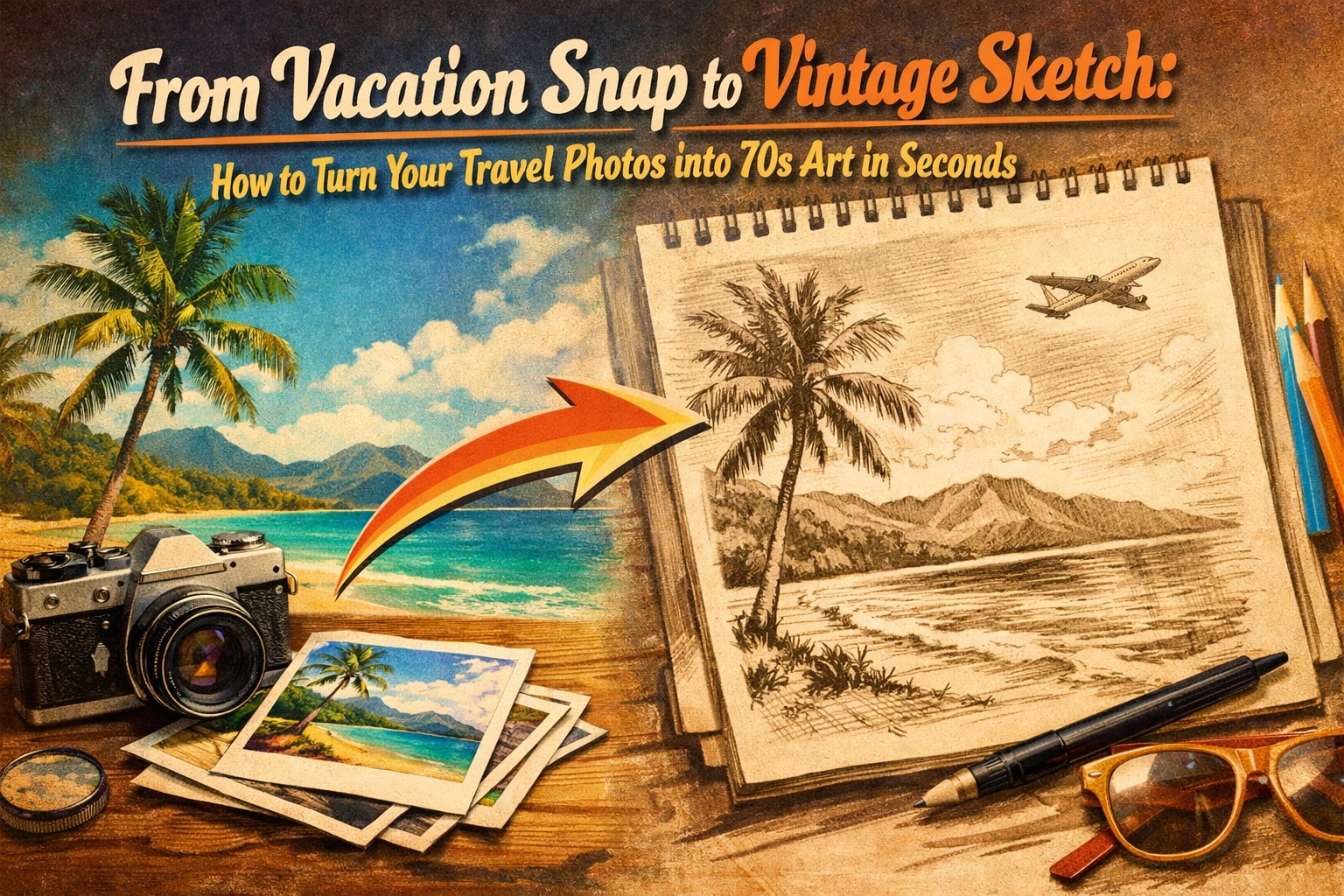
From Vacation Snap to Vintage Sketch: How to Turn Your Travel Photos into 70s Art in Seconds

We’ve all been there. You come home from an incredible trip, maybe it was the sun-drenched streets of Lisbon or a misty morning in the Highlands, and you have a camera roll filled with hundreds of photos. They look great, but they lack that certain je ne sais quoi. They look like... well, digital files. They lack the soul, the texture, and the nostalgia of a physical memory.
In the 1970s, travel photography and art had a specific vibe. It was tactile, warm, and often featured bold, hand-drawn lines or high-contrast sketches that felt deeply personal. Today, we’re pulling back the curtain on how you can reclaim that aesthetic. Using DreamRender, our cutting-edge ai photo editor, you can transform your standard vacation snaps into stunning 70s-style sketches in literally seconds.
Whether you want to create a unique gallery wall or a personalized gift, the photo to sketch revolution is here to make your travel memories timeless.
The Allure of the 70s Aesthetic
Why are we so obsessed with the 70s right now? It’s more than just a trend: it’s about a return to "analog" warmth in a world that feels increasingly clinical and digital. The art of that era often featured heavy line work, vibrant yet earthy color palettes, and a sense of "perfect imperfection."
When you turn a photo into a sketch, you’re stripping away the distracting details of a high-resolution digital file and focusing on the composition, the mood, and the story. At DreamRender, we’ve spent countless hours refining our algorithms to ensure that when you use our photo to sketch tool, the result doesn't just look like a filter: it looks like something an artist spent hours drafting on a drafting table in 1974.

Why Traditional Editing is a Chore
In the past, achieving an authentic vintage sketch look required a deep knowledge of complex software. If you look at old tutorials, you’d have to:
Convert your photo to a "Smart Object."
Apply a "Cutout Filter" with very specific levels and edge simplicity.
Layer on "Smart Blurs" and adjustment layers for vibrance.
Add grain and texture overlays to simulate old paper.
It was a multi-step process that could take thirty minutes per photo. For most of us, that’s just not realistic. We want the art, but we don't have the afternoon to spare. That’s where DreamRender steps in. We’ve handled the heavy lifting by baking those complex artistic decisions into our AI models. You provide the photo; we provide the mastery.
How to Turn Your Photo Into a Sketch (The Fast Way)
If you’re ready to see your travel memories in a new light, here is the lightning-fast process to get it done using our Creative Studio.
Step 1: Choose Your Best Shot
Not every photo is destined to be a sketch, but most "scenic" shots work exceptionally well. Think about harbor scenes, city skylines, or even a classic car on a coastal road. You want an image with clear shapes and interesting lighting.
Step 2: Upload to DreamRender
Head over to our transform page and upload your chosen image. Our ai photo editor is designed to be intuitive: no steep learning curves here.
Step 3: Select the Sketch Style
We offer a variety of presets, but for that authentic 70s vibe, you’ll want to look for our Sketch or Vintage Engraving styles. These presets focus on clean outlines and textured shading that mimic the hand-drawn quality of mid-century travel posters.
Step 4: Adjust Line Weight and Vibrance
This is where you get to be the art director. Our tool allows you to tweak the intensity of the lines.
Heavy lines: Great for a bold, pop-art 70s look.
Fine lines: Perfect for a delicate, architectural sketch.
If you want that "faded postcard" feel, keep the vibrance in check. If you’re going for a psychedelic 70s poster look, crank those colors up!

Beyond the Basics: Creating Retro Travel Posters
One of the coolest ways to use our photo to sketch capability is to create your own "Retro Travel Posters." Imagine a series of sketches from your different trips, all styled with the same 70s line art, framed together in your living room.
Our AI doesn't just trace lines; it understands the geometry of your photo. It knows the difference between a palm tree and a skyscraper, ensuring that the "sketch" feels intentional and artistic rather than accidental.

The Technical Magic Behind the Scenes
You might be wondering: How does the AI actually do this?
Traditional filters usually just look at contrast levels and apply a uniform "edge" effect. This often results in "noisy" sketches where a person's freckles or the texture of a brick wall become a messy jumble of black dots.
DreamRender uses advanced neural networks that have been trained on thousands of real-world sketches and illustrations. When it processes your photo, it "redraws" the image based on its understanding of form and shadow. It’s the difference between a photocopier and an illustrator. It prioritizes the "clean outlines" that make vintage art so striking.
Practical Uses for Your AI Art
Once you’ve mastered the art of the photo to sketch transformation, the possibilities are endless.
We’ve seen our community use these images for:
Custom Stationery: Turn a photo of your holiday home into a sketched header for "Thank You" cards.
Personalized Gifts: A vintage-style sketch of a friend’s favorite city is a thoughtful, high-end gift that doesn't cost a fortune.
Social Media: Stand out in a sea of over-saturated "perfect" travel photos with a unique, artistic interpretation of your journey.
Home Decor: High-resolution exports from DreamRender are perfect for printing on canvas or textured paper.
If you're looking for inspiration, our community gallery is packed with examples of how others are using these tools to redefine their photography.

Speed is the Ultimate Feature
In the world of AI art, complexity is often a barrier. We believe that creativity should be accessible. The phrase "in seconds" isn't just marketing: it's the core of why we built DreamRender.
You shouldn't have to watch three hours of YouTube tutorials to learn how to make a photo look like a 70s sketch. You should be able to do it while you’re waiting for your coffee. Our pricing model is designed to let you experiment without commitment, and if you find yourself hooked on the "creative" bug, you can always buy credits to keep the masterpieces coming.
Join the Retro Revival
The 70s weren't just about disco and bell-bottoms; they were about a specific graphic style that celebrated adventure and bold expression. By using an ai photo editor, you’re not just applying a filter: you’re participating in a new form of digital craftsmanship.
Ready to see what your travel photos look like as vintage art? It’s time to stop letting those memories sit in your cloud storage and start bringing them to life.

Head over to DreamRender today, upload your favorite vacation snap, and watch the magic happen. Whether it’s the Grand Canal in Venice or a simple sunset in your backyard, there’s a vintage sketch waiting to be discovered inside every photo.
Check out our how it works page to get started, or dive straight into the transform tool and start your own retro revival. We can't wait to see what you create.
Ready to Transform Your Photos?
Experience the magic of AI-powered art transformation with DreamRender.
Start Creating Now